Content Creators
Stop logging into 7 apps to post the same content. Write once, publish everywhere in a single click. Spend less time on admin and more time creating.
Multi-Platform Publishing
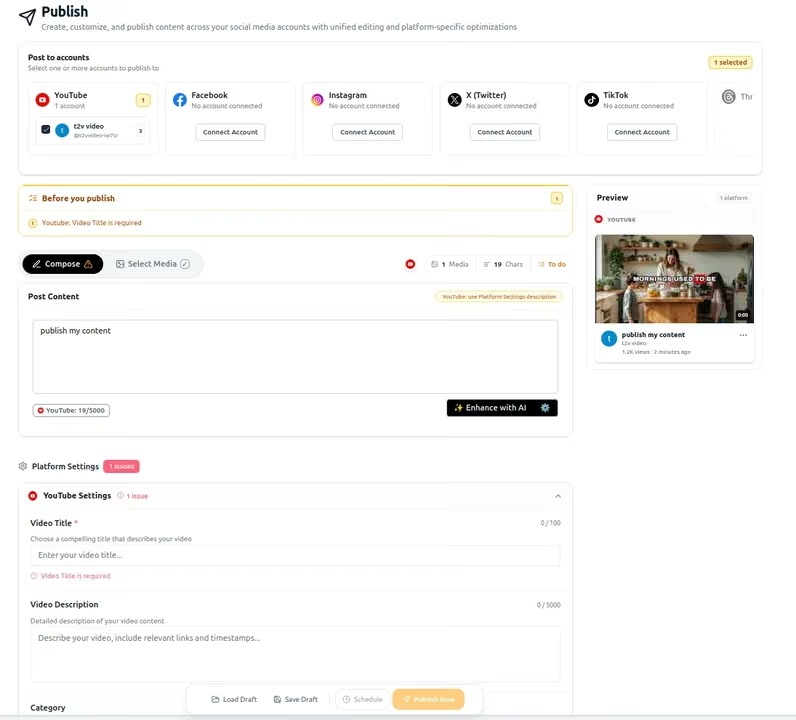
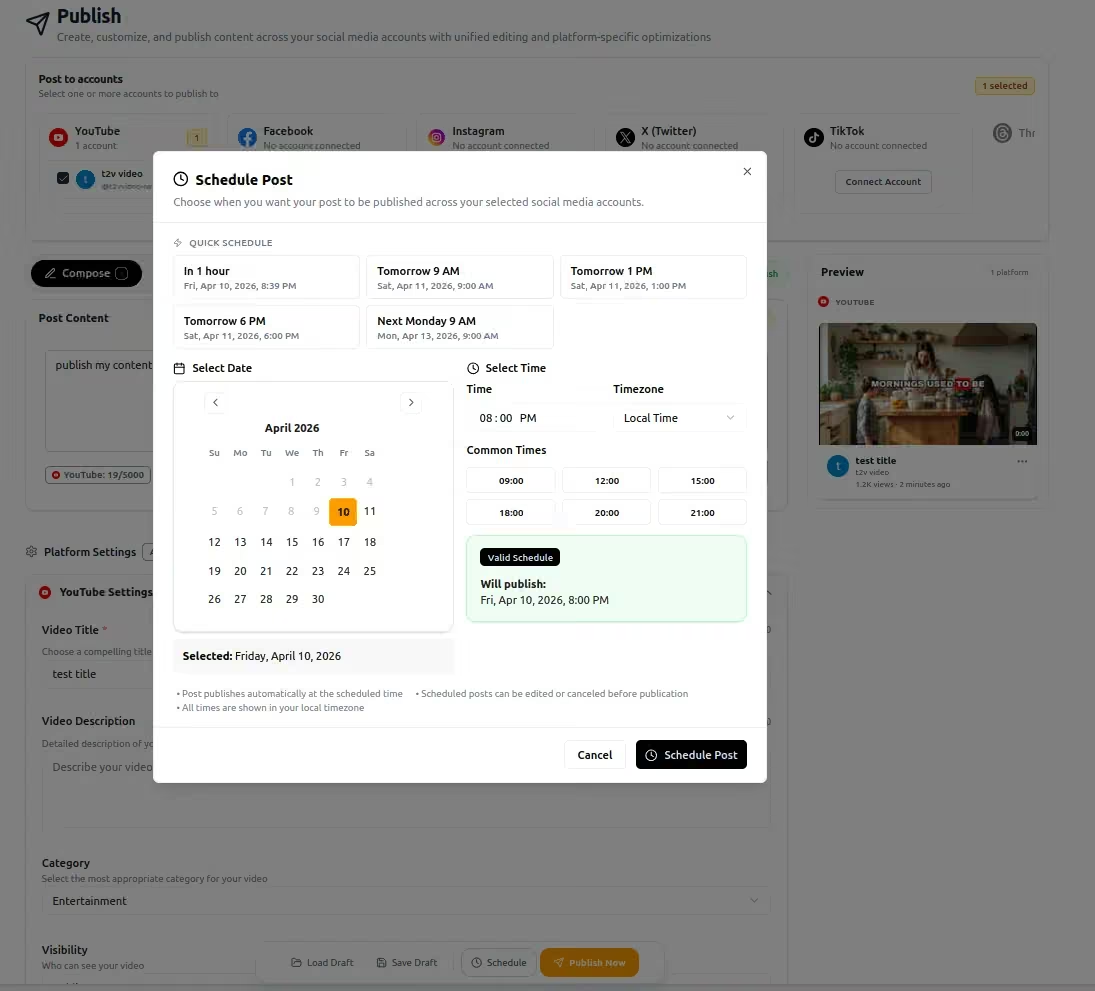
Compose your post once with real-time platform previews. Qten handles platform-specific formatting, character limits, and dimensions — then publishes or schedules across every platform you use in a single click.
Free plan · No credit card
How it works
Step 1
Compose your post in one editor. Qten shows a real-time preview of how it will look on each platform — including character limits, hashtag formatting, and media requirements specific to each channel.
Step 2
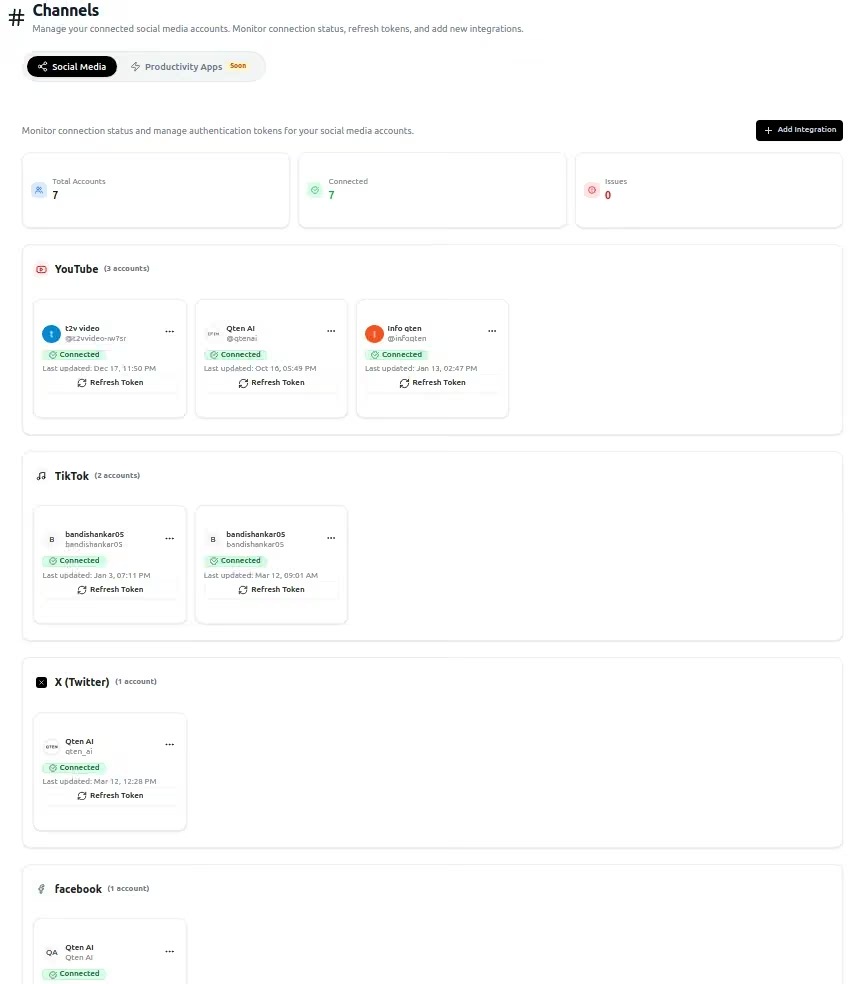
Before you publish, Qten automatically checks dimensions, file sizes, character counts, and content restrictions for every selected platform. No more failed posts because of a wrong video format.
Step 3
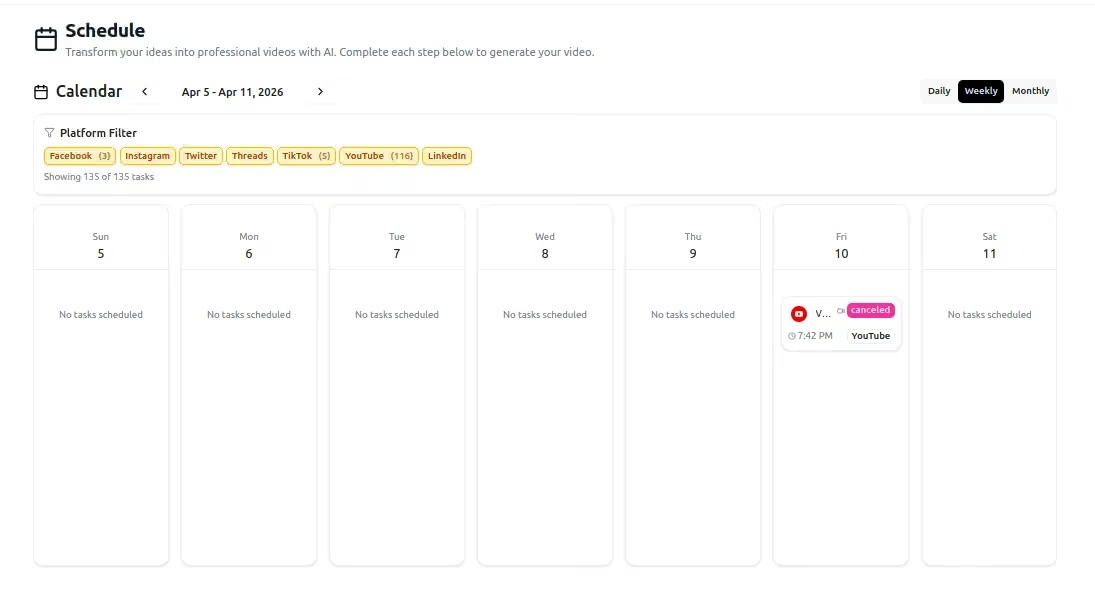
Choose when each post goes live with the calendar view. Posts are queued and sent automatically — no need to be online when they publish.
Step 4
Not ready to publish? Save the full post state as a draft — content, media, platform selection, scheduling time. Resume it exactly as you left it.
Who uses it
Whether you create, manage brands, or run an agency — Publish & Schedule streamlines how you reach your audience across all platforms.
Stop logging into 7 apps to post the same content. Write once, publish everywhere in a single click. Spend less time on admin and more time creating.
Maintain platform-specific formatting and brand guidelines across every channel without manual reformatting. Schedule campaigns weeks in advance from one dashboard.
Manage posts for multiple clients from one place, with drafts for client review before publishing. Track what's scheduled, live, and archived across all client accounts.
We manage 12 client accounts and Qten's publishing & scheduling tools have been a game changer. We schedule weeks of content across all platforms in one session — our clients are seeing 40% better engagement and we've cut production time in half.
FAQ
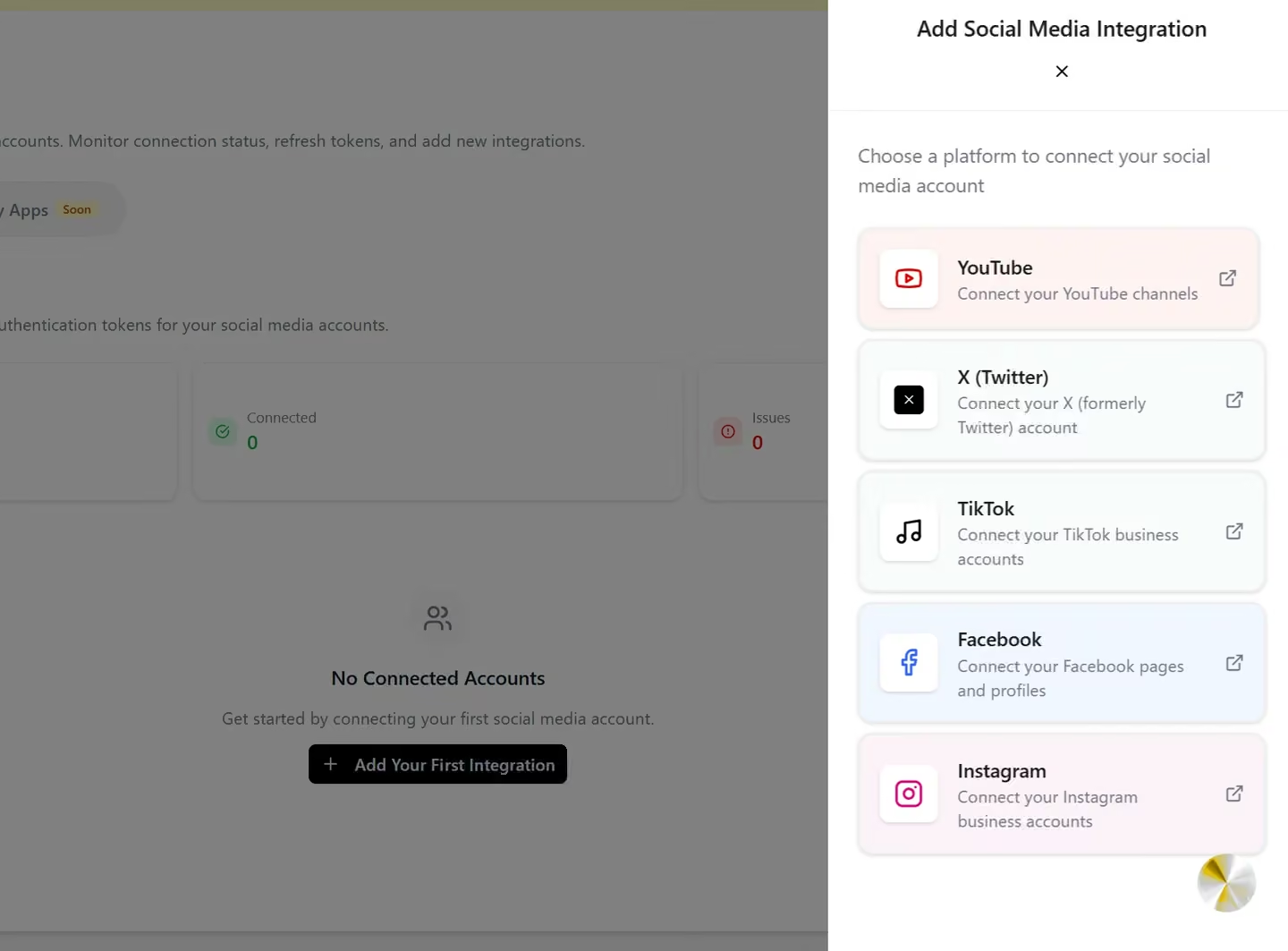
Qten connects to all major social platforms. The specific list grows regularly as we add new integrations. Check the app for the current list of connected platforms.
Yes. After composing your post, you can edit the content, hashtags, or media selection for any specific platform before publishing. The changes only apply to that platform.
If a post fails on any platform due to platform restrictions or API issues, Qten will notify you immediately with the reason. You can edit and retry publishing to that platform only.
You can schedule posts up to 6 months in advance on most platforms. Some platforms (like TikTok) may have shorter limits — Qten will warn you if you exceed a platform's maximum.
Yes. Workspace members can view, edit, and publish drafts together. You can set role-based permissions (viewer, editor, publisher) to control who can publish live.
Drafts are saved to your Qten cloud account automatically as you type. Close the browser, restart your computer — your draft is safe and waiting whenever you return.
Discover other powerful tools in the Qten AI platform